Lab notes
This piece is water with no water maps. A high-subdivision plane becomes an ocean because the vertex shader moves every point and the fragment shader paints depth from elevation. Three.js holds the camera and the clock; the sea lives in GLSL.
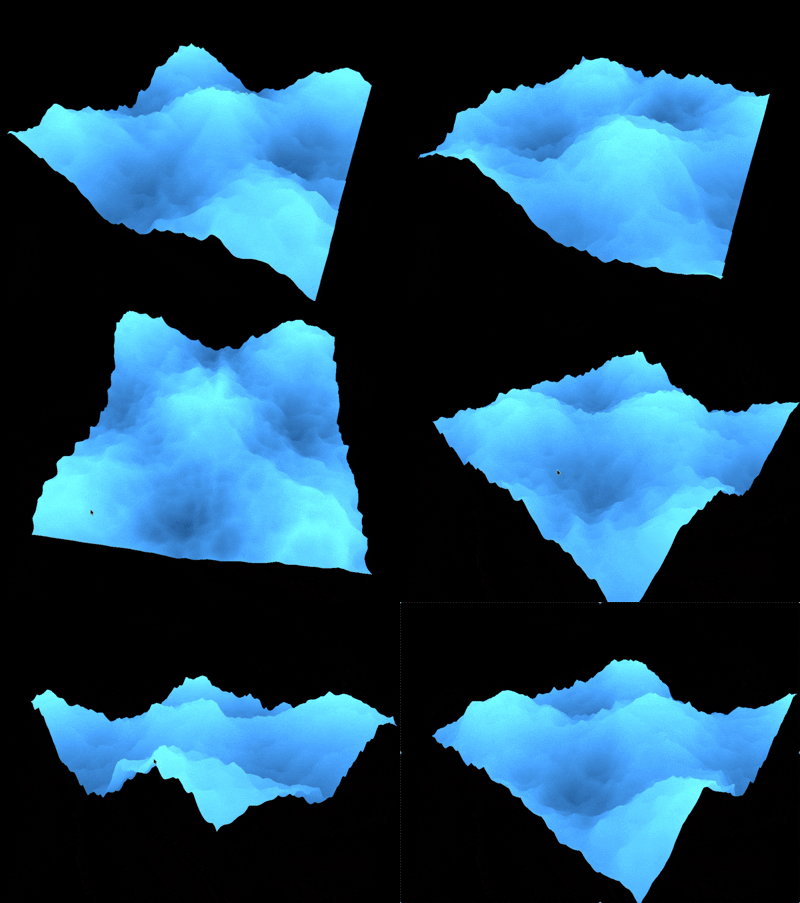
The GIF is honest about the look we chased: sharp cyan peaks over a dark trough, continuous motion, and enough small ripple that the surface never reads as a single sine. If it feels like weather instead of a demo mesh, the shader stack did its job.
A plane that pretends to be a sea
The mesh is ordinary: `PlaneGeometry(2, 2, 512, 512)`, rotated flat onto XZ. Density is the point—512 segments give the displacement enough vertices to fold into large swells and small chop without looking like a low-poly tarp.
A `ShaderMaterial` owns the look. OrbitControls keep framing flexible while uniforms stay editable. Vite plus `vite-plugin-glsl` lets the vertex and fragment sources live as real shader files instead of template-string archaeology.
Big waves, then noise for the chop
Large motion comes from paired sines driven by `uTime`, frequency, speed, and elevation—enough to sell swell without a full Gerstner stack. On top of that, layered Classic Perlin 3D noise (`cnoise`) is iterated and scaled down so the surface gains restless micro-detail instead of a smooth cartoon roll.
Elevation leaves the vertex stage as a varying. That single channel is the contract between shape and color: displace first, then let height decide how deep or foamy a fragment feels.
Height as color
The fragment shader mixes a depth color and a surface color using remapped elevation—offset and multiplier, then clamped to 0–1. Peaks push toward the bright cyan; troughs fall into navy. No albedo texture is required for the water itself; the gradient is the material.
That remapping is why the GUI matters. A small nudge to color offset can turn “pool tile” into “storm foam,” or bury the highlights until the mesh looks dead. Live uniforms keep the aesthetic a conversation, not a rebuild loop.
GUI as the instrument
lil-gui exposes big and small wave elevation, frequency, speed, noise iterations, both colors, and the color remap. `uTime` advances every frame so the sea never freezes while you tune.
Shipping the panel with the demo matches how we use lab pieces: prove which knobs are load-bearing, then leave them visible so the next pass (or a client walkthrough) starts from the same controls.
Why it stays on GitHub Pages
Like the other experiments, this is a static WebGL build: shaders, a canvas, and a clock. Open the live demo, orbit the patch, and pull the elevation sliders. If the surface stays readable while it rages, the GPU path is doing real ocean work—procedural shape, height-based color, no texture dependency for the water itself.